Latency vs Throughput: Speed vs Volume
Imagine a garden hose. Latency is the time it takes for the first drop of water to travel from the tap to the nozzle. Throughput is the total amount of water coming out of the hose per second.
In System Design, it's the same! Understanding this difference is crucial to know if your system is "slow" or just "overloaded".
The Duel: Travel Time vs Traffic
- Definition: Time to perform a single action from start to finish.
- Unit: Milliseconds (ms).
- Goal: Be as low as possible (fastest).
- Definition: Number of successful actions per unit of time.
- Unit: Requests per second (RPS) or GB/s (for data).
- Goal: Be as high as possible (highest volume).
Visualization
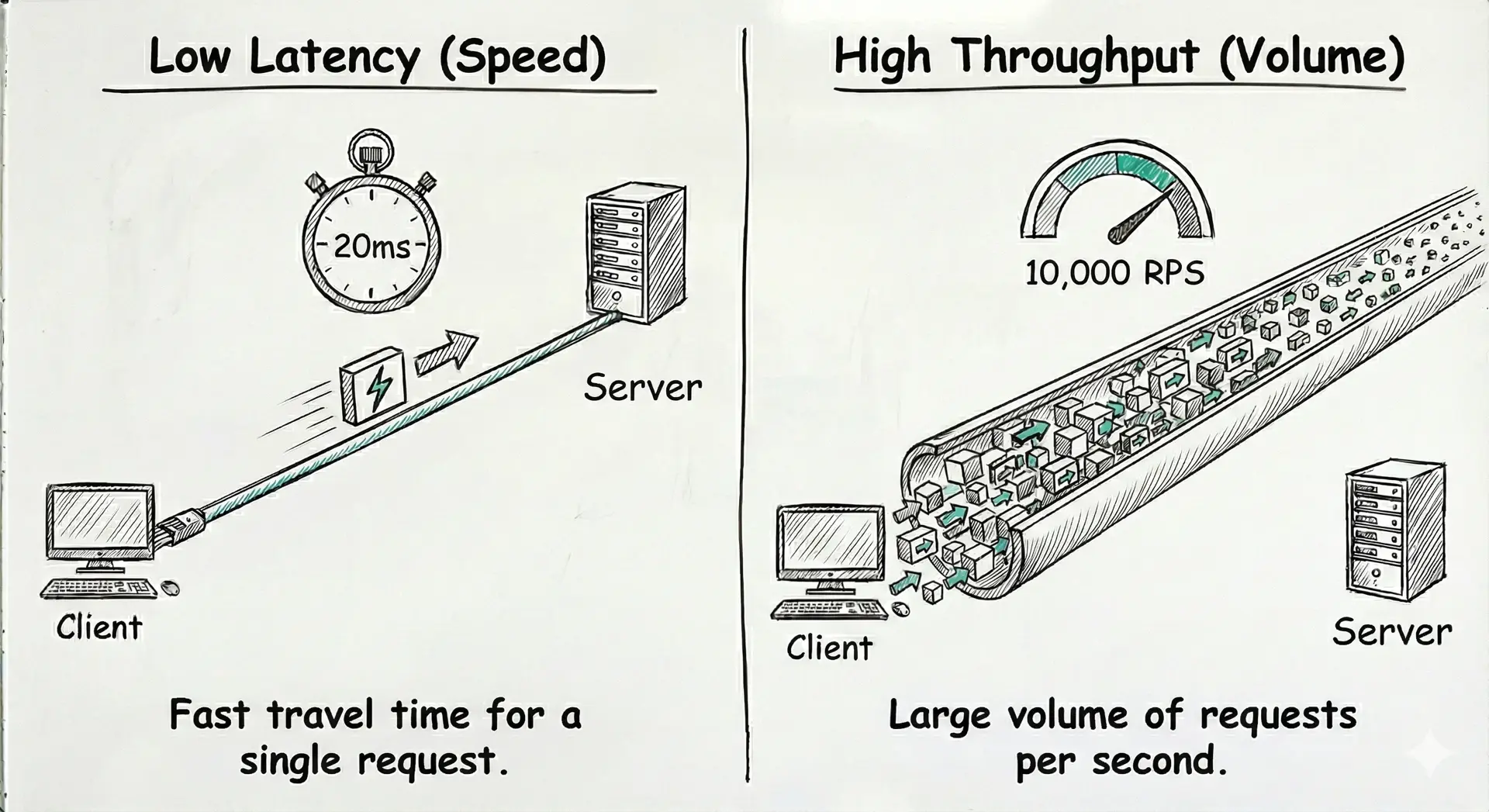
Comparison Table
| Criteria | Latency | Throughput (Volume) |
|---|---|---|
| Key Question | "How long does it take for ONE user?" | "How many TOTAL users can I handle?" |
| Client Context | User Experience (Click, page load time) | Scalability (Handling millions of users) |
| How to improve? | Reduce distance (CDN), optimize code, use Cache (Redis) | Add servers (Scale Out), do things in parallel (Async) |
The Trade-off
The Paradox: Improving one can degrade the other
It's the classic dilemma.
Take the example of "Batching" (grouping several small requests to send them as one big chunk to the database).
- ✅ Throughput: It's great! The database is more efficient, handling more total data.
- ❌ Latency: It's bad for the first request in the group, which has to wait for the others to arrive before being sent. Its waiting time increases.
Classic Pitfalls
Never say "My average latency is 100ms". If 1% of your users wait 10 seconds, your average looks good, but those users are furious.
Solution: Speak in Percentiles (p95, p99). "99% of my users get a response in under 200ms". It's much more honest.
"Ping" is just the network travel time. Total latency also includes time the server spends working (CPU) and time spent waiting in a queue (Queueing).
Reminder: Total Latency = Network Trip + Processing Time + Waiting.
In Interviews (The System Design Interview)
Before drawing anything, ask the crucial question:
Flash Quiz
Your Turn
Mission: Identify the Bottleneck
Draw a simple flow: Client ➔ Server ➔ Database.
The timings:
1. Client ➔ Server: 50ms
2. Server ➔ Database (Read): 800ms (Ouch!)
Your mission: Where is the latency problem? Draw a solution (hint: a magic box between Server and DB) to drastically reduce this time.
For the Curious (Bonus)
L = λ * WIn plain English: The number of customers in your store (L) equals the number of customers entering per minute (λ, throughput) multiplied by the average time they spend inside (W, latency). If your cashier is slow (high latency), your store fills up!